Room for the way you think.
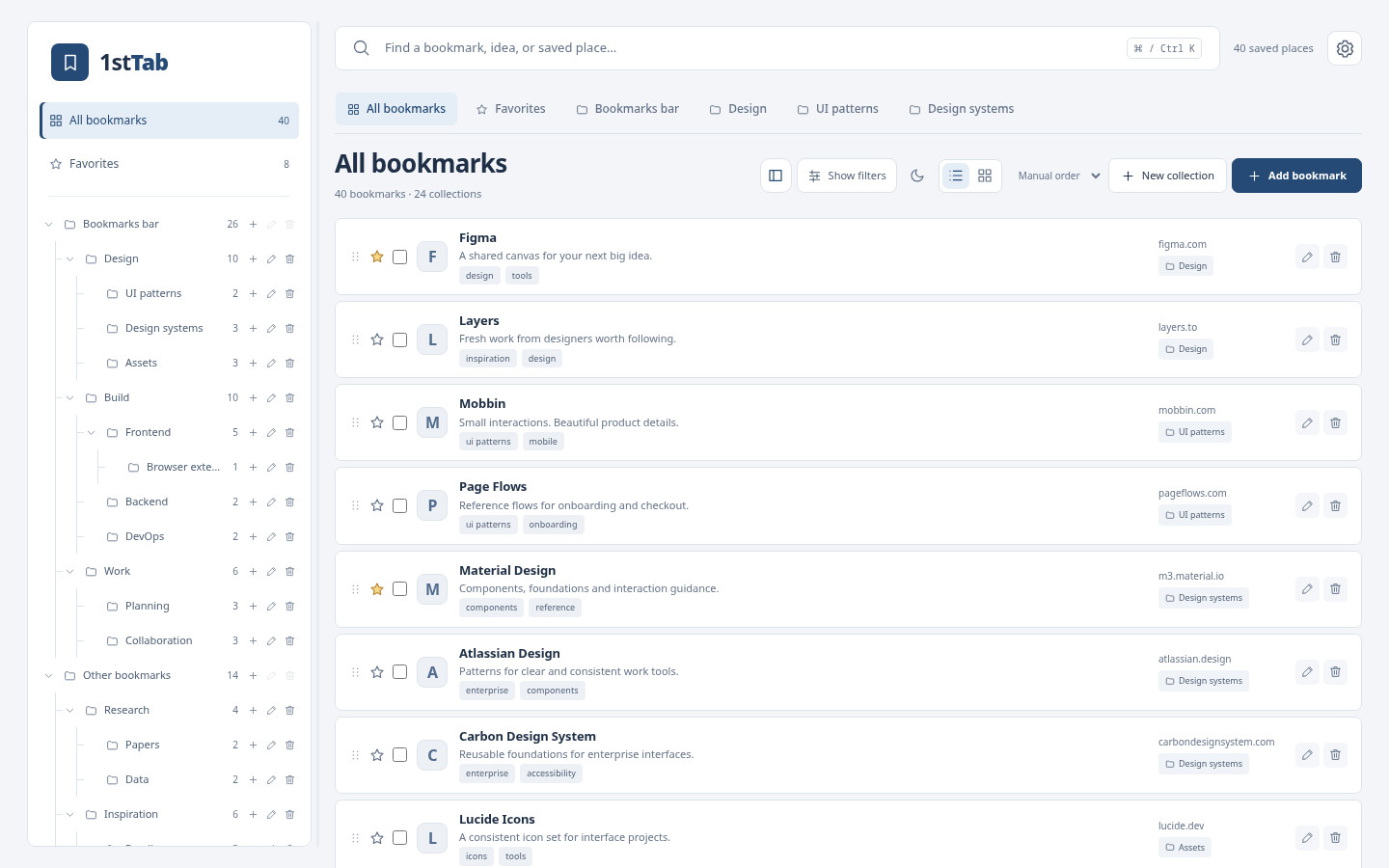
Create collections and nested folders. Drag bookmarks between them, sort your links, and resize the tree to fit your library.
Give every good link a place. Organize your Chrome bookmarks
with folders, tags, and a workspace that feels like yours.
BUILT AROUND YOUR BOOKMARKS
From a quick save to a well-kept research library, everything in v2 supports one simple job: keeping useful links within reach.
Create collections and nested folders. Drag bookmarks between them, sort your links, and resize the tree to fit your library.
Search titles, URLs, tags, and notes. Narrow it down by collection, domain, or favorites. Your search stays in reach as you scroll.
Five themes, light and dark modes, adjustable text and icons. Choose a compact list or cards in five different shapes.
Export your library, preview imports and deletions, and restore a saved JSON export with Import.
Tags, notes, and favorites keep the reason you saved a link close to the link itself.
Open your library in a new tab or the Chrome side panel while you browse.
Move, tag, or delete selected bookmarks. Review duplicate links and empty folders.
A LOCAL LIBRARY, FIRST
1stTab works with your native Chrome bookmarks. The local v2 library needs no account and uploads no bookmark data. Tags, notes, favorites, and preferences stay on this device.
Understand your dataChrome’s own bookmark sync follows your browser settings. 1stTab metadata has its own local storage.
WHAT COMES NEXT
V2 brings the bookmark workspace. After that, we’re planning optional ways to bring your collections with you.
Connect your own Drive to keep selected bookmark collections and their metadata in sync across your devices.
Optional connection · Not included in v2Bring selected collections between the Google accounts you use, with control over what stays separate and what you sync.
You choose the accounts · Not included in v2These features are on the roadmap. Availability and timing will be announced here.
Help shape what’s nextA FEW GOOD QUESTIONS
Yes. Version 2.0 is available now. Add 1stTab — Bookmark Manager from the Chrome Web Store, or read the launch announcement.
Yes. The extension reads and edits your native Chrome bookmarks. You can organize the library you already have, and your changes appear in Chrome’s bookmark manager.
Notes, tags, favorites, and 1stTab settings are local to this device. Native bookmarks may sync through Chrome if you enable Chrome sync. Google Drive sync and sync between Google accounts are planned follow-ups.
We’ve chosen to focus the new 1stTab on bookmark management. Weather, clocks, finance, tasks, and other general dashboard widgets are outside the v2 product. Read the story behind this decision.
Yes. Export a local JSON copy from Settings → Library tools. Imports show a preview and add bookmarks to your chosen destination. Export before extensive edits; restore from Google Drive is planned for later.
A bookmark manager built for your next good idea.